Your Whole Week,
one widget away.
See your whole week from your home screen, catch scheduling conflicts before you double-book, and keep week numbers in view — all in one calendar app.
See Calendget in action
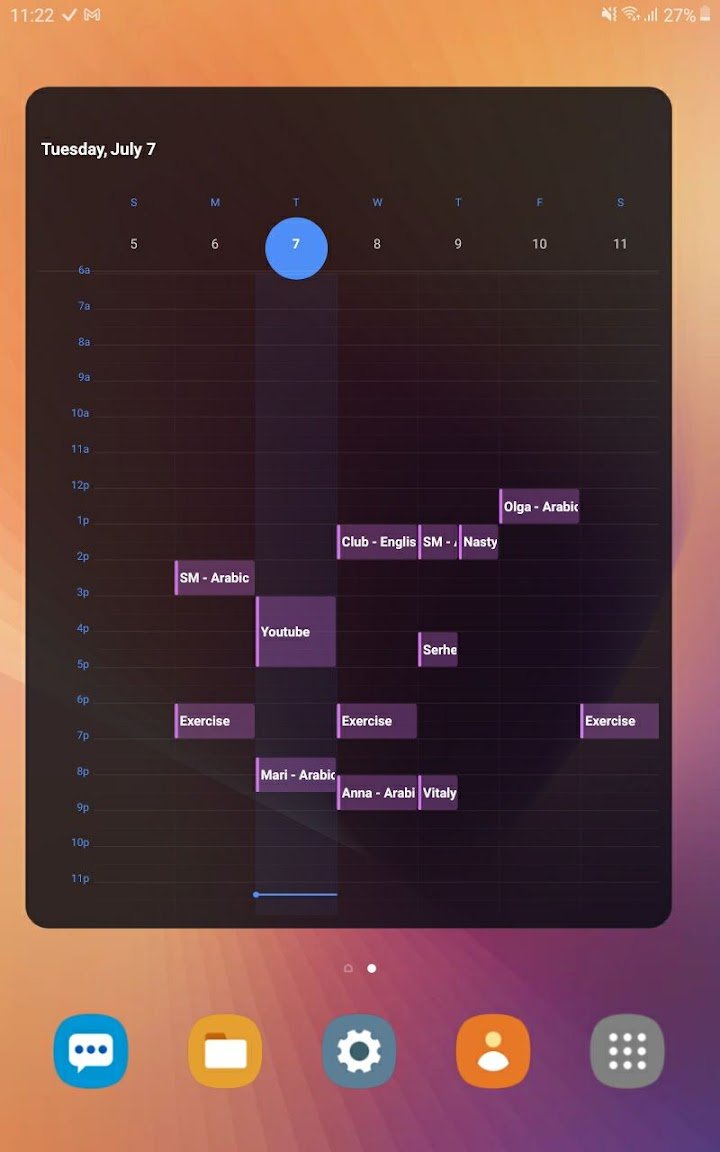
The calendar app built around your week
Calendget puts your entire week on your home screen, warns you the moment a new event collides with something already on your calendar, and keeps week numbers visible throughout — so planning your week takes one glance, not several taps.
Everything you need to plan your week
One glance at your home screen, no double-bookings, no confusion about what week it is.
Weekly Home-Screen Widget
See your whole week at a glance, right from your home screen.
Conflict Checker
Get warned in real time before you double-book an event.
Week Numbers
Week numbers shown throughout the app, wherever you're looking.
Quick Overview
Your week in one app, without switching between calendar views.
Free To Use
Calendget is free to download and use.
No Data Collected
No data collection, no third-party sharing — just your calendar.
How Calendget works
Planning a conflict-free week takes three steps.
Add
Add an event the way you normally would.
Get Warned
Calendget flags it instantly if it collides with something else.
See Your Week
Check the home-screen widget any time for the full picture.
Your week in one app.
Weekly widget, conflict checker, and week numbers — all in Calendget.
Frequently asked questions
What is Calendget?
Calendget is a calendar app built around a weekly home-screen widget, a conflict checker that warns you before double-booking, and week numbers shown throughout.
How does the conflict checker work?
When you add a new event, Calendget checks it against your existing calendar and warns you in real time if it overlaps with something else.
Does Calendget show week numbers?
Yes. Week numbers are shown throughout the app, not just in one view.
Is Calendget free?
Yes. Calendget is free to download and use.
Is Calendget available on iPhone and Android?
Yes. Calendget is available on the App Store for iPhone and on Google Play for Android.