Weekly Widget, Conflict Checker & Week Numbers
Everything your calendar should already do, all in one app: see your week from your home screen, catch conflicts before they happen, and keep week numbers in view.
Explore CalendgetSee Calendget in action
Three things a calendar app shouldn't make you live without
Most calendar apps treat these as separate add-ons, if they offer them at all. Calendget builds all three in from the start: a weekly home-screen widget, a real-time conflict checker, and week numbers shown throughout the app.
Whether you're searching for a weekly calendar widget, a double-booking checker, or a week number calendar, Calendget covers all three in a single free app.
Weekly Calendar Widget
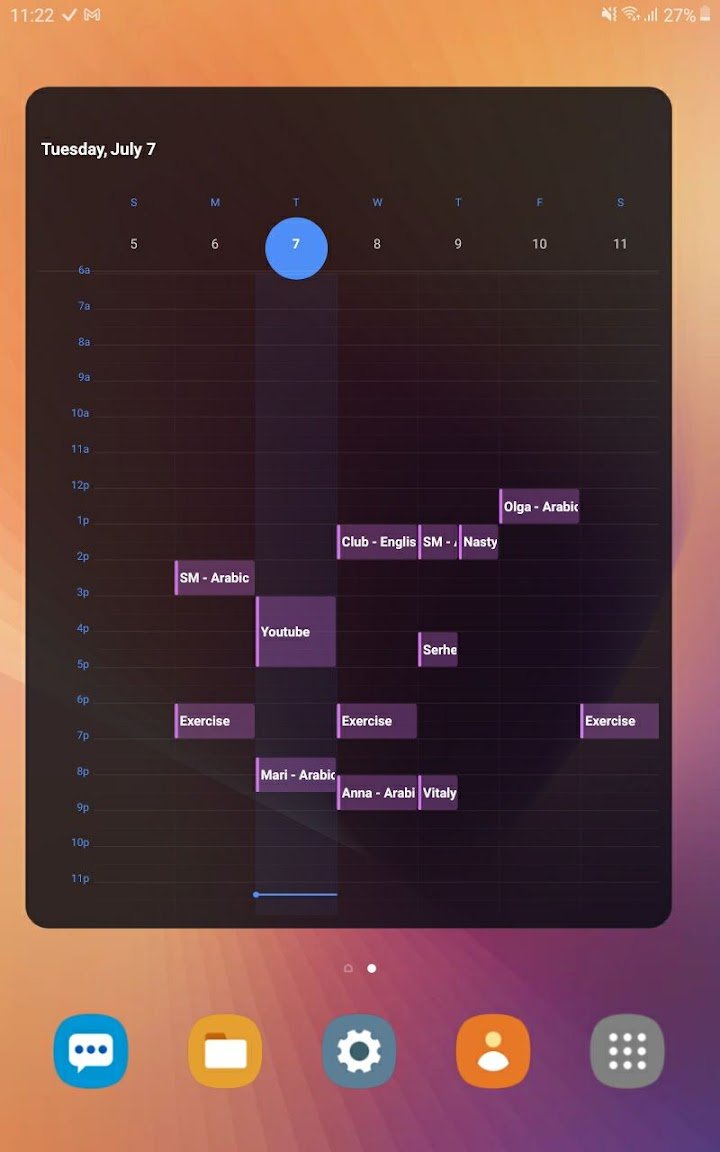
Calendget's home-screen widget shows your entire week at a glance — not just today, and not a cramped month view. Check what's coming up without ever opening the app.
- See Monday through Sunday right from your home screen.
- Updates automatically as your calendar changes.
- No need to open the app for a quick check.
Calendar Conflict Checker
Double-booking usually isn't discovered until it's too late. Calendget checks every new event against what's already on your calendar and warns you immediately if something overlaps.
- Real-time warnings the moment you add a new event.
- Checks across your whole calendar, not just today.
- Catch conflicts before they become a problem.
Week Number Calendar
Week numbers matter for work, school, and planning — but most calendar apps bury them in settings, if they show them at all. Calendget displays week numbers throughout the app, everywhere you're already looking.
- Week numbers shown in every view, not just one screen.
- No digging through settings to turn them on.
- Useful for deadlines, semesters, and work schedules that run by week number.
Why these three belong together
A widget without conflict checking still lets you double-book. Conflict checking without a widget still means opening the app to check your week. And week numbers only help if they're visible everywhere, not hidden on one screen.
Calendget builds all three together, so your week is visible, conflict-free, and clearly numbered — without extra setup.
From your home screen to a conflict-free, well-numbered week
Glance
Check the weekly widget from your home screen, any time.
Add
Add a new event the way you normally would.
Get Warned
Calendget flags it instantly if it overlaps with something else.
Track The Week
See the week number alongside everything else, automatically.
Built around three things your calendar should already do
Calendget exists to make your week visible, conflict-free, and clearly numbered — all at once.
- See your whole week from a home-screen widget.
- Get warned before you double-book an event.
- Keep week numbers visible throughout the app.
- Use it completely free, on iPhone or Android.
- No data collected, no third-party sharing.
Frequently asked questions
Is there a calendar widget that shows the whole week?
Yes. Calendget's home-screen widget is built specifically around a full week view, not just a single day.
Do I need to open the app to see my week?
No. The home-screen widget shows your whole week without opening the app.
Can a calendar app warn me before I double-book?
Yes. Calendget checks new events against your existing calendar and warns you in real time if they overlap.
How does the conflict checker decide something overlaps?
It compares a new event's time against everything already on your calendar and flags it the moment it collides with an existing one.
Does Calendget show week numbers?
Yes. Week numbers appear throughout the app.
Are week numbers shown in every view?
Yes. Week numbers aren't limited to one screen — they're visible wherever you're already looking at your calendar.
Three things your calendar was missing.
Weekly widget, conflict checker, and week numbers — all in Calendget.
Get Calendget